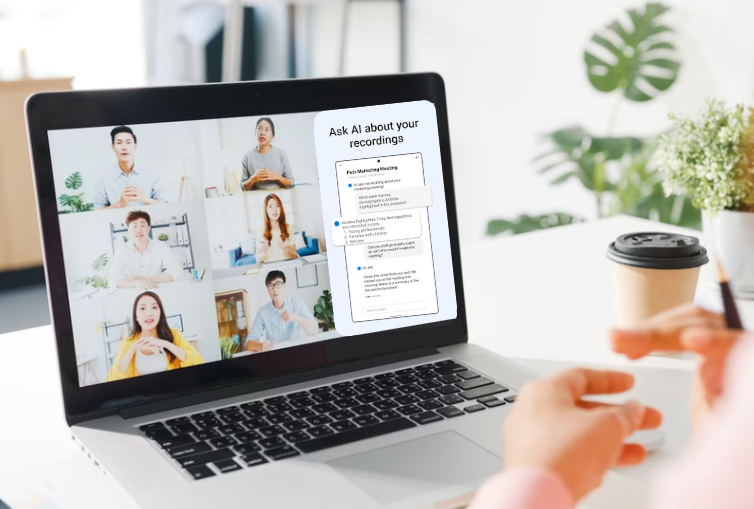
How to Use AI Meeting Note Takers for Autism
AI meeting note takers can function as cognitive support tools for autistic professionals by reducing the double empathy gap and navigating sensory demands or executive functioning differences. By automating transcription and analyzing communication nuances, these tools allow neurodivergent workers to focus on real-time engagement rather than manual data capture.
Key Takeaways
- Cognitive Load Reduction: AI tools handle "on-the-fly" processing, freeing up mental resources for social interaction.
- Objective Communication Feedback: Tools like Evro provide neutral data on speaking pace and clarity to increase clarity and predictability in mixed neurotype environments.
- Executive Function Support: Automated task extraction ensures no commitments are missed due to high cognitive load.
- Pre-Meeting Context: AI-generated briefs provide the predictability often required for autistic professionals to feel prepared.
TL;DR: AI Meeting Note Takers for Autistic Professionals
| Category | Summary |
|---|---|
| Core Challenge | High executive function load, working memory strain, and real-time social processing during meetings |
| What AI Does | Provides transcription, structured summaries, task extraction, and communication analytics |
| Implementation | Connect calendar → enable transcription → verify extracted actions → integrate into workflow |
| Risk Factors | Transcript errors, overdependence, privacy misconfiguration |
| Best Practice | Use AI for cognitive offloading, verify commitments, and ensure compliance standards |
Why Do Meetings Increase Cognitive Load for Autistic Professionals?
Meetings increase cognitive load because they require simultaneous verbal processing, social interpretation, task identification, and self-monitoring. For autistic professionals, this compounds working memory strain and increases masking effort, which can accelerate burnout and post-meeting fatigue. Masking refers to the effort of consciously adjusting natural communication style to meet external expectations.
Core Cognitive Demands in Meetings
- Working Memory Load: Holding previous statements while forming responses.
- Executive Function Filtering: Distinguishing brainstorming from binding commitments.
- Task Switching: Shifting attention between speaker, screen share, and chat.
- Self-Monitoring: Adjusting tone, pacing, and perceived engagement in real time.
Key Insight: Meetings operate as high-density information environments. Automating the capture layer reduces cognitive friction without reducing participation quality.
What Do AI Meeting Note Takers Actually Do?
AI meeting note takers convert spoken conversation into structured, searchable, and actionable data. They use Automatic Speech Recognition (ASR) combined with transformer-based Natural Language Processing (NLP) models to classify intent, extract commitments, and generate contextual summaries.
Functional Components
| Function | Technical Mechanism | Outcome |
|---|---|---|
| Real-Time Transcription | ASR | Verbatim searchable transcript |
| Summary Generation | LLM semantic compression | Structured recap |
| Task Extraction | Intent recognition modeling | Clear follow-up actions |
| Speaker Attribution | Voice segmentation | Accurate accountability |
| Communication Analytics | Interaction pattern modeling | Data-backed clarity insights |
These systems convert unstructured conversation into organized information. For example, in a fast-paced product sync, multiple ideas may surface within minutes. Without structured capture, it can be difficult to distinguish exploratory discussion from actual task assignment. AI meeting note takers separate suggestion from commitment, which reduces ambiguity after the call ends.
Step-by-Step: How to Use AI Meeting Note Takers Effectively
1. Before the Meeting: Establish Predictability
Preparation reduces uncertainty and improves cognitive readiness.
Implementation Steps
- Enable automatic calendar integration.
- Review summaries from previous related meetings.
- Identify open commitments.
- Define a communication objective such as clarity or pacing.
This establishes context before entering a high-processing environment.
2. During the Meeting: Shift from Recorder to Contributor
AI allows the professional to stop acting as the meeting stenographer and start acting as a participant. Instead of dividing attention between listening and typing, cognitive resources can remain focused on contribution.
Operational Workflow
- Keep the live transcript accessible for reference.
- Allow AI to detect commitment language automatically.
- Use private prompts if the system supports pacing or clarity feedback.
- Reduce multitasking behaviors.
Key Insight: Cognitive offloading increases comprehension accuracy because attention is not divided between listening and typing.
3. After the Meeting: Execute the Verification Protocol
Post-meeting review transforms transcript data into reliable workflow inputs.
Verification Framework
- Review AI-generated summary immediately.
- Confirm extracted tasks.
- Correct any speaker misattribution.
- Export validated tasks into project management tools.
- Apply defined data retention settings.
Verification prevents misinterpretation and AI hallucination of commitments.
Comparing Leading AI Meeting Note Takers
Not all AI meeting assistants are built for the same objective. Some prioritize raw transcription. Others focus on workflow automation. Very few are designed specifically to address communication friction experienced by neurodivergent professionals.
| Feature | Evro AI | Otter.ai | Fireflies.ai | Microsoft Copilot |
|---|---|---|---|---|
| Core Focus | Communication Improvement | Transcription | Workflow Automation | Ecosystem Integration |
| Communication Feedback | Real-time & Post-meeting | Basic | Analytics | Summary only |
| Neurodiversity Support | High (Privacy-first feedback) | Moderate | Moderate | Low |
| Data Privacy | Azure-based | Commercial Cloud | Commercial Cloud | Enterprise Cloud |
Role-Based Workflow Optimization
| Role | Primary AI Application | Measurable Benefit |
|---|---|---|
| Manager | Tracking team commitments | Reduced follow-up ambiguity |
| Individual Contributor | Searching technical discussions | Faster recall of decisions |
| Consultant | Reviewing client alignment | Objective communication insight |
| Remote Worker | Reducing meeting fatigue | Lower cognitive exhaustion |
Role alignment increases practical ROI from AI tools.
Manual Notes vs AI Meeting Assistant
| Feature | Manual Note-Taking | AI Meeting Assistant |
|---|---|---|
| Cognitive Load | High | Reduced |
| Accuracy | Selective memory | Full transcript |
| Speed | Typing-dependent | Real-time capture |
| Task Tracking | Manual | Automated extraction |
| Searchability | Limited | Instant retrieval |
AI reduces split-attention strain while improving information fidelity.
Privacy, Disclosure, and Compliance Considerations — Privacy Policy
Professional AI use requires enterprise-grade security alignment.
What Standards Matter?
Meeting assistants should be:
- SOC 2 Type II certified
- GDPR compliant
- Encrypted in transit and at rest
- Configurable for data retention limits
Disclosure to participants maintains professional transparency and reduces legal risk.
Key Insight: AI accessibility tools function as structured workflow supports. Transparent use strengthens credibility rather than undermining it.
Risks of Overdependence on AI Transcription
AI meeting assistants function as cognitive augmentation systems, not decision-making authorities. The professional remains responsible for interpreting nuance and confirming commitments. AI supports the process, but it does not replace judgment.
Risk Mitigation Strategy
- Verification Discipline: Always review summaries before acting.
- Commitment Confirmation: Confirm ownership during the meeting.
- Retention Practice: Occasionally take manual notes to maintain recall strength.
- Selective Recording: Disable transcription for informal or sensitive conversations.
That aligns with the neuro-inclusive structure rules.
Beyond Transcription: How Evro Supports Communication Clarity
While many AI tools focus primarily on transcription, Evro is architected to model communication patterns, quantify interaction behavior, and provide structured clarity analytics beyond transcription. For autistic professionals, this shifts AI from passive recorder to structured communication support system.
In practice, this means the professional does not need to constantly self-monitor for “too much detail” or “too little clarity.” The feedback layer becomes objective rather than emotional, which lowers the internal pressure often associated with masking.
Differentiation Framework
| Capability | Generic Transcription Tool | Evro |
|---|---|---|
| Transcript | Yes | Yes |
| Task Extraction | Basic detection | Structured + confirmation prompts |
| Communication Feedback | Limited | Real-time and post-meeting analytics |
| Interaction Modeling | Minimal | Interruption rate, pacing, clarity metrics |
| Security Architecture | Varies | Azure-based enterprise framework |
Real-Time Support (Private Prompts)
Evro provides optional private cues during meetings. If a user wants to reduce infodumping or improve pacing, discreet prompts allow adjustment without external visibility. This reduces the cognitive pressure associated with masking or over-monitoring.
Monthly Wins Reporting
Evro tracks communication trends over time. Instead of focusing on friction, professionals can review measurable improvement in clarity, pacing, and alignment. This reframes meetings as skill-building opportunities rather than stress events.
Predictability Through Meeting Prep
Evro’s Meeting Prep compiles recent context into structured briefs. This reduces the executive function load required to recall historical discussions and improves readiness before high-stakes calls.
The distinction is not transcription versus no transcription. The distinction is passive recording versus structured communication intelligence.
Practical Implementation: A Weekly Workflow
-
Preparation Phase (Start of Week)
Review AI-generated meeting briefs for upcoming calls. Surface prior commitments and reduce executive function load before high-processing conversations begin. -
Execution Phase (During Meetings)
Keep real-time transcription and private feedback prompts active. Use transcript visibility as a cognitive anchor so focus stays on engagement, not typing. -
Validation Phase (Immediately After Meetings)
Review extracted tasks while memory is still fresh. Confirm commitments, correct attribution errors, and export validated actions into your task system. -
Reflection Phase (End of Week)
Analyze pacing, interruption rate, and clarity trends. Evaluate progress and define small adjustments for the following week.
Over time, this structured reflection reduces guesswork about communication performance and replaces it with observable patterns.
FAQ
Q: Can AI meeting note takers analyze non-verbal behavior?
A: Most AI meeting assistants do not analyze non-verbal behavior like body language or facial expressions. They focus on language features, pace, and interaction patterns.
Q: Will other people in the meeting see my AI feedback?
A: No. In platforms like Evro, real-time prompts and communication analytics are private and visible only to the user.
Q: How does AI help with "meeting fatigue"?
A: By automating the recording and summarizing of data, AI reduces the listening fatigue caused by trying to process verbal information and take notes simultaneously.
Q: Do I need to manually enter my tasks after a meeting?
A: No. AI tools identify confirmed commitments from the transcript and prompt you to confirm them, after which they are automatically recorded.
Conclusion
AI meeting note takers reduce executive function strain, but transcription alone is not enough. Communication intelligence determines whether meetings become clearer or simply documented.
Evro transforms meeting data into structured clarity analytics designed for neurodivergent professionals. If meetings feel exhausting despite preparation, the constraint may not be effort. It may be the absence of structured cognitive support.